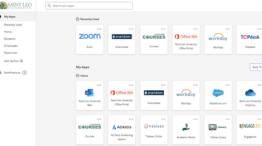
At the Center for Teaching and Learning Excellence (CTLE), we value and support the important role of adjunct faculty at Saint Leo University. Whether you’re just getting started or looking for resources and support, this page offers quick access to some of the most frequently requested information. As you explore, you will find that the CTLE website is designed to support your teaching, professional development, and practical needs. This space was created to help you find what you need more easily.
Canvas Resources
Teaching Excellence in Canvas (CTL 400 Course)
Canvas Faculty FAQs
Canvas Resources
Canvas Training Resources
Attendance in Canvas
Course Analytics and Gradebook in Canvas
Access OKTA & Learn About eLion Self-Service
OKTA Login
eLion Resources
Community Intranet
Faculty Adjunct Handbook, Term Dates and Course Schedules
Adjunct Handbook
Academic Calendar
Academic Term Dates
Course Schedule
Policies and Expectations
Academic Standards & Honor Code
Online Faculty Expectations
Student Code of Conduct
Working Remotley
AI Policies and Guides
Required AI Syllabus Statement Options
Faculty AI Use Policy
Student AI Guide
Essential Training with Key Assignments
Courses with Key Assignments
Key Assignment Resources
Key Assignment Rubrics Requirements
Teaching and Support Resources
Faculty are often the first to notice when a student is struggling academically, disengaging from a course, or experiencing personal challenges. Early intervention is one of the most effective ways to support student success, retention, and well-being.
This page provides referral options and faculty resources to help connect students with the support they need. Whether through proactive outreach, academic assistance, or referrals to specialized support services, timely action can make a meaningful difference in a student’s educational experience and persistence toward graduation.
The Academic Integrity/Plagiarism page details SLUs Academic Honor Code, with policies on academic integrity, plagiarism, and resources on AI use, including the faculty AI policy and student AI guide.
Draft Coach – A Microsoft Word online add-in that helps students check their work for plagiarism, grammar issues, and citation errors before submitting assignments. This tool supports academic integrity by providing detailed feedback and suggestions, allowing students to improve the quality and originality of their writing.
TheAcademic Affairs Resources page serves as a quick guide to help faculty easily navigate key academic tools and information available through the Saint Leo University Intranet.
Explore the CTLE Teaching Resource page for a wide range of resources designed to support and inspire your teaching. Whether you are looking for strategies to enhance student engagement, guidance for the first days of class, or best practices for teaching in online, hybrid, or on-ground formats, this page brings together practical tools and ideas grounded in effective pedagogy. You will also find tips for course design, inclusive teaching, and classroom management. It is a helpful starting point for strengthening your approach and supporting student success.
The Office of Accessibility Services exists to promote and uphold the values of Saint Leo University by ensuring all members of the University community and guests have equitable access to the programs, opportunities, and activities available at Saint Leo
The Cannon Memorial Library offers a wide range of resources and services to support the academic and research needs of students, faculty, and the broader Saint Leo community. From access to scholarly databases and research assistance to digital collections and study spaces, the library is a central hub for learning and discovery. Whether you are working on a class assignment, conducting in-depth research, or exploring new topics, the library provides the tools and guidance to help you succeed.
Course Material – Find everything you need for your course materials at Saint Leo, including textbook support, instructor resources, desk copy requests, and help for students. Connect with the Learning Resource Team for personalized assistance.